Free Beta — Apple Watch Required

See What Apple Fitness
Can't Show You.

Turn your Apple Watch swim data into real coaching insights. Lap-by-lap analysis, personal bests, heart rate zones, training load, and an AI coach that knows your numbers.
Swim Dashboard Insights

Your Apple Watch Tracks Every Lap.
Apple Fitness Barely Uses It.

Apple Watch records incredible swimming data. But Apple Fitness shows you a single summary. No lap detail. No trends. No coaching.

0 Personal Bests

Apple Fitness tracks zero PBs across any distance. No fastest 100m, no records, no progress.

No Lap Detail

You can't see individual lap times, stroke types, or pace-per-lap. Just a session average.

No Coaching

No year-over-year trends, no training load, no heart rate zones, no actionable advice.

Everything Apple Fitness Is Missing.

Eight features that turn raw swim data into coaching insights.

Hierarchy

Drill Down to Every Lap

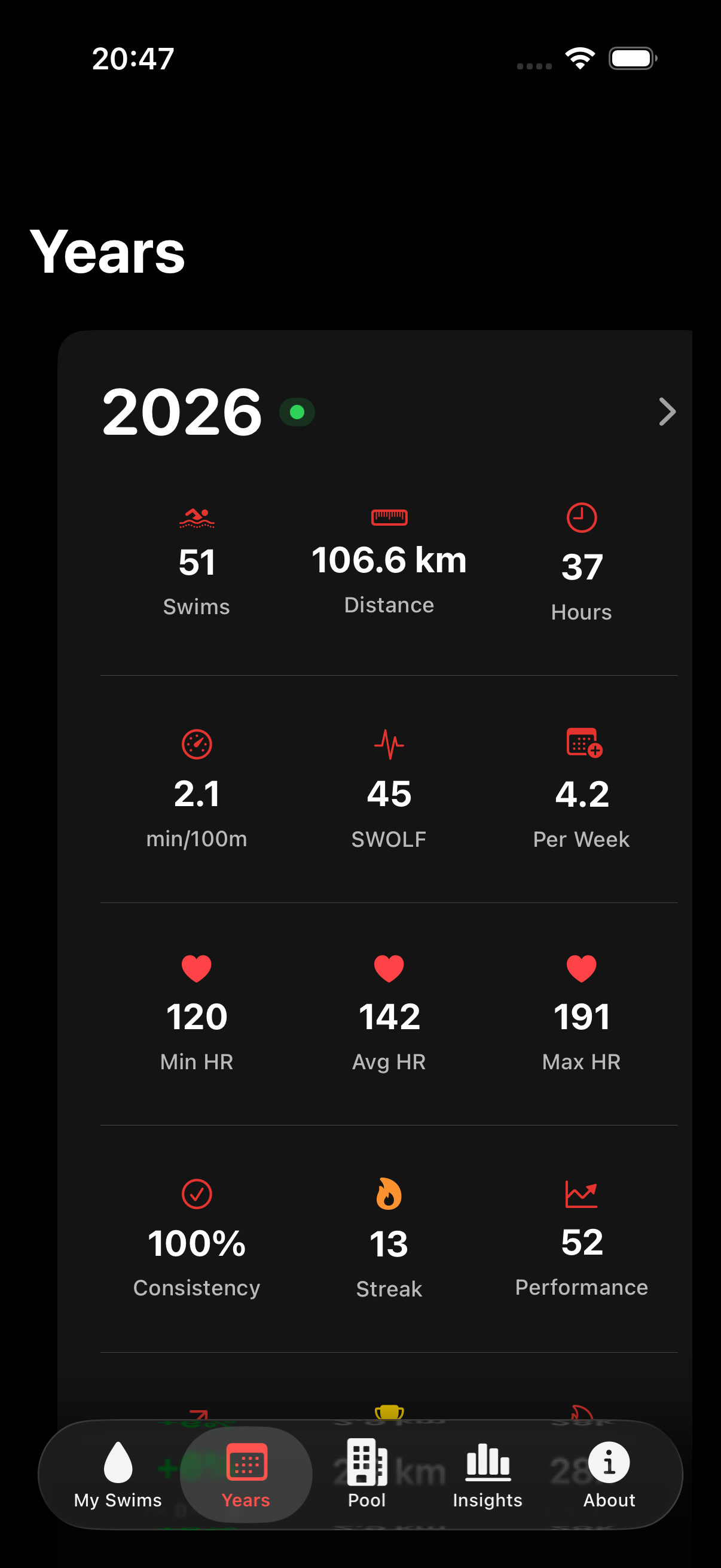
Browse your entire swimming history through a five-level hierarchy. Start with yearly totals and drill all the way down to individual lap pace, heart rate, and stroke type.

Apple Fitness: Session list only. No lap detail.
Year to Lap drilldown
Records

Personal Bests Tracked Automatically

Track your fastest 25m, 50m, 100m, 500m, and 1000m times. Each record shows exactly when and how it was achieved — full session or best consecutive lap window.

Apple Fitness: No personal best tracking at all.
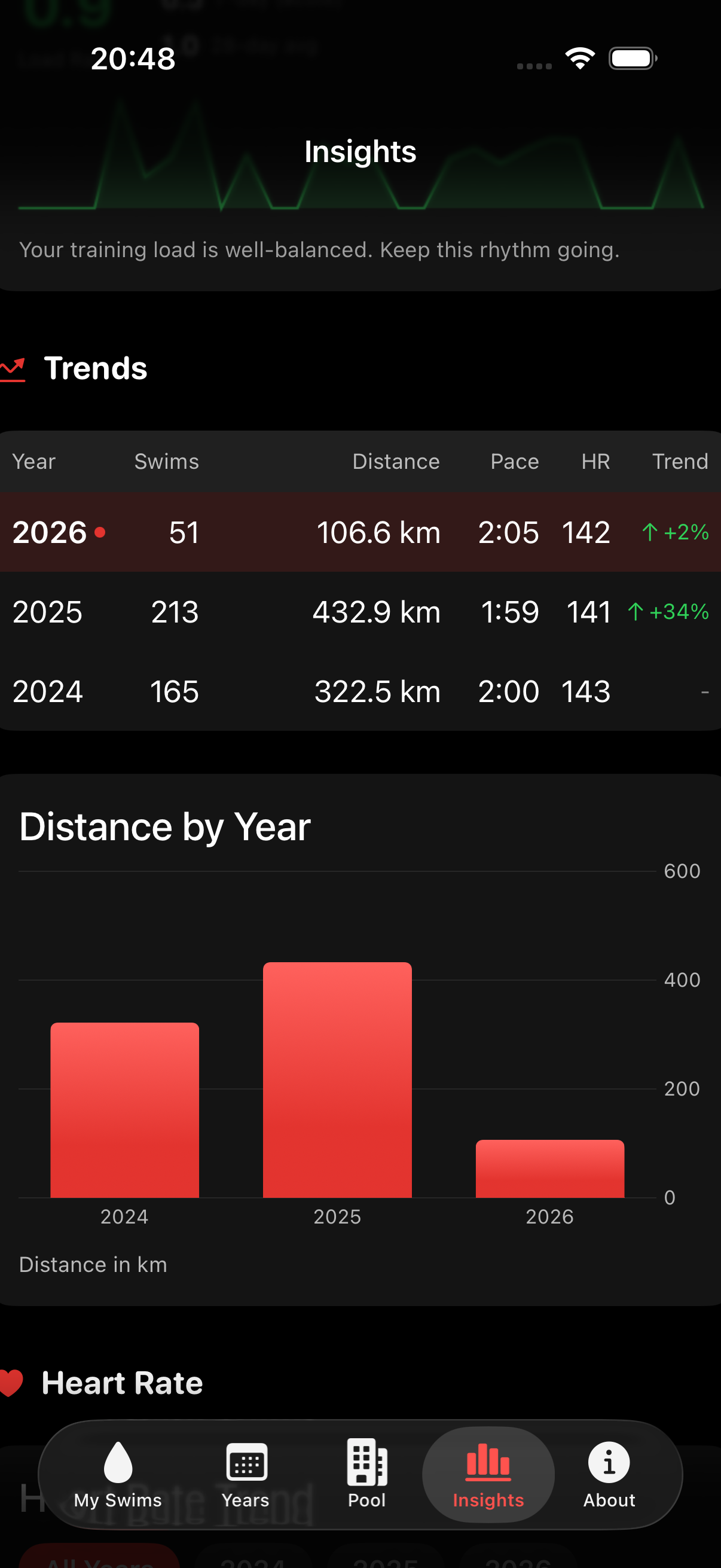
Personal bests and heart rate trends
Heart Rate

Five-Zone Heart Rate Analysis

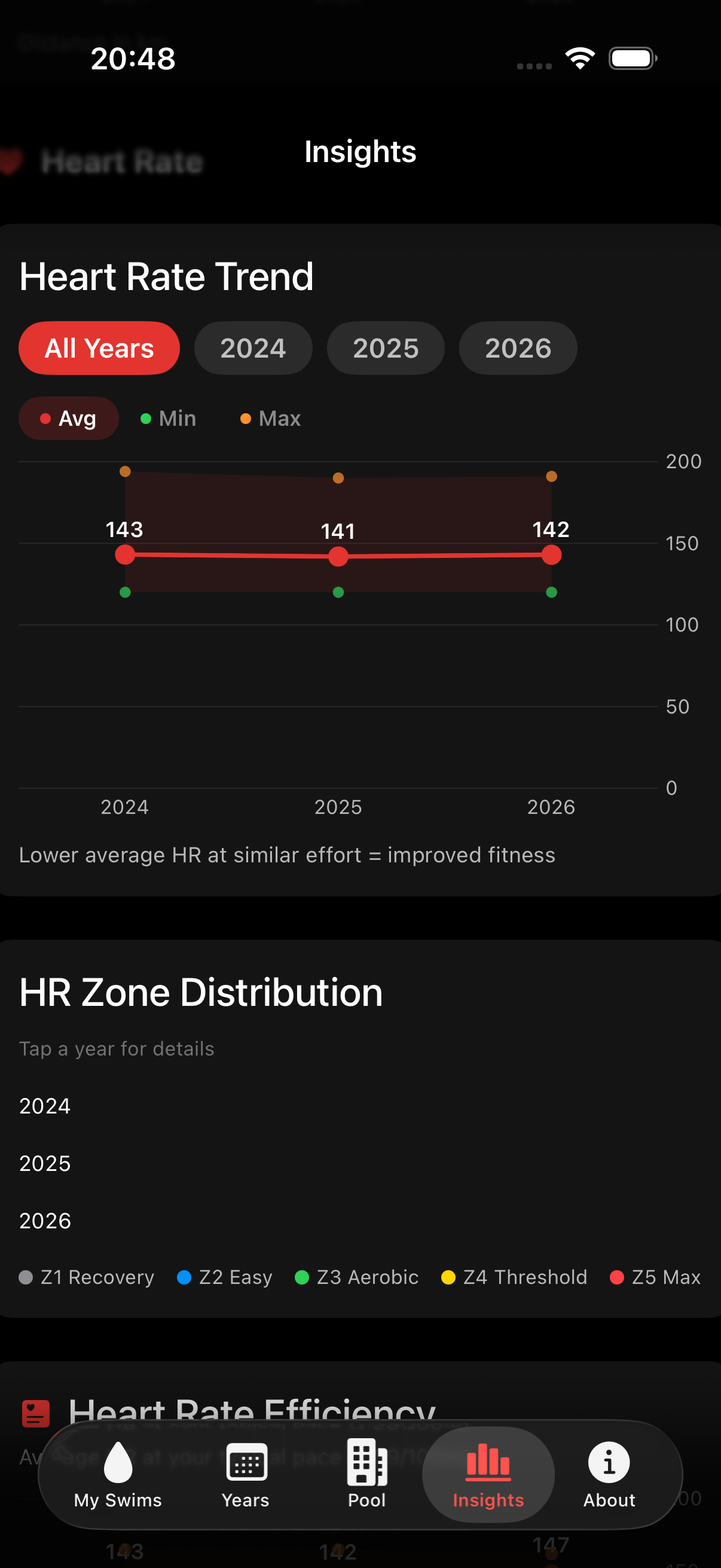
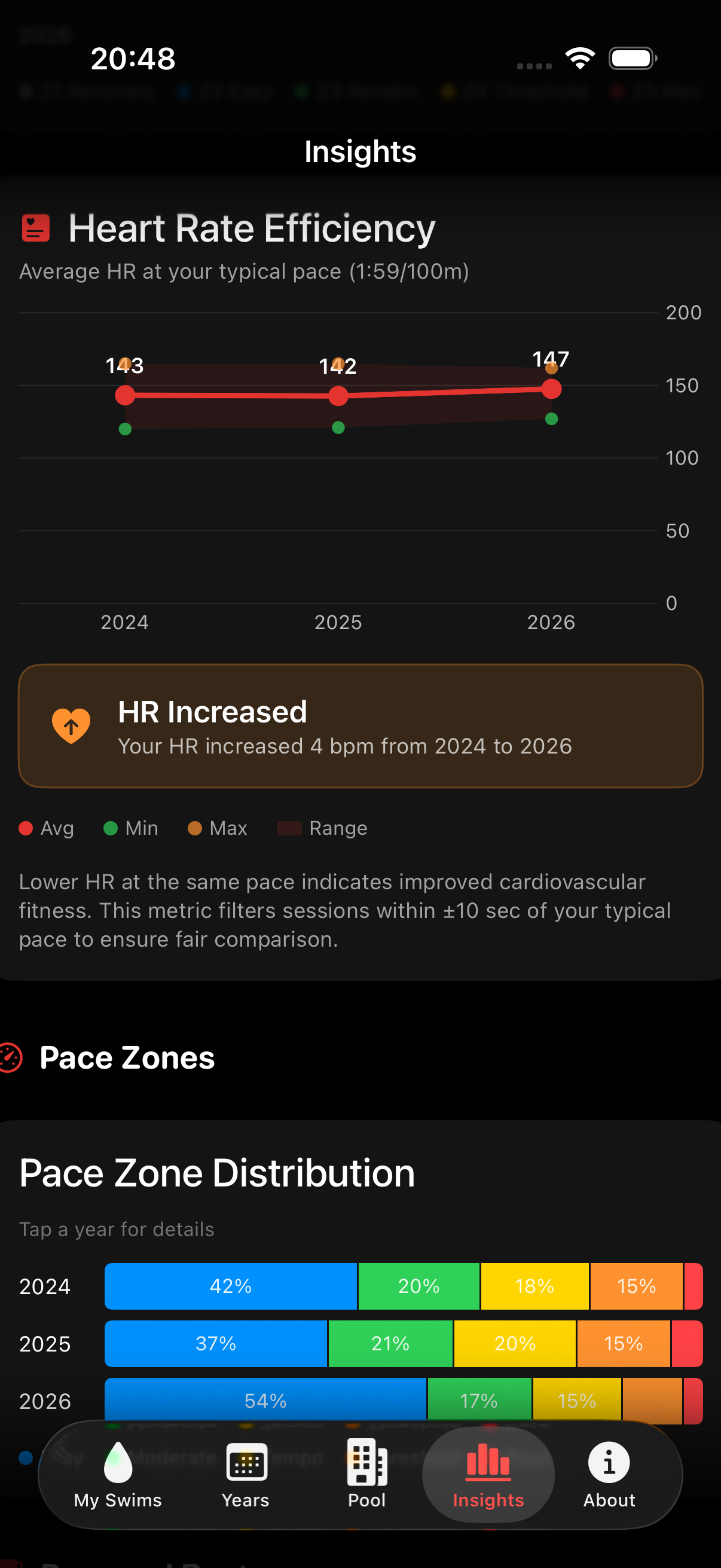
See how your effort distributes across five training zones calibrated to your personal heart rate. Track HR efficiency over time — lower heart rate at the same pace means better fitness.

Apple Fitness: Shows average HR only. No zones.
Heart rate zones and training load
Training

Training Load & Fatigue Management

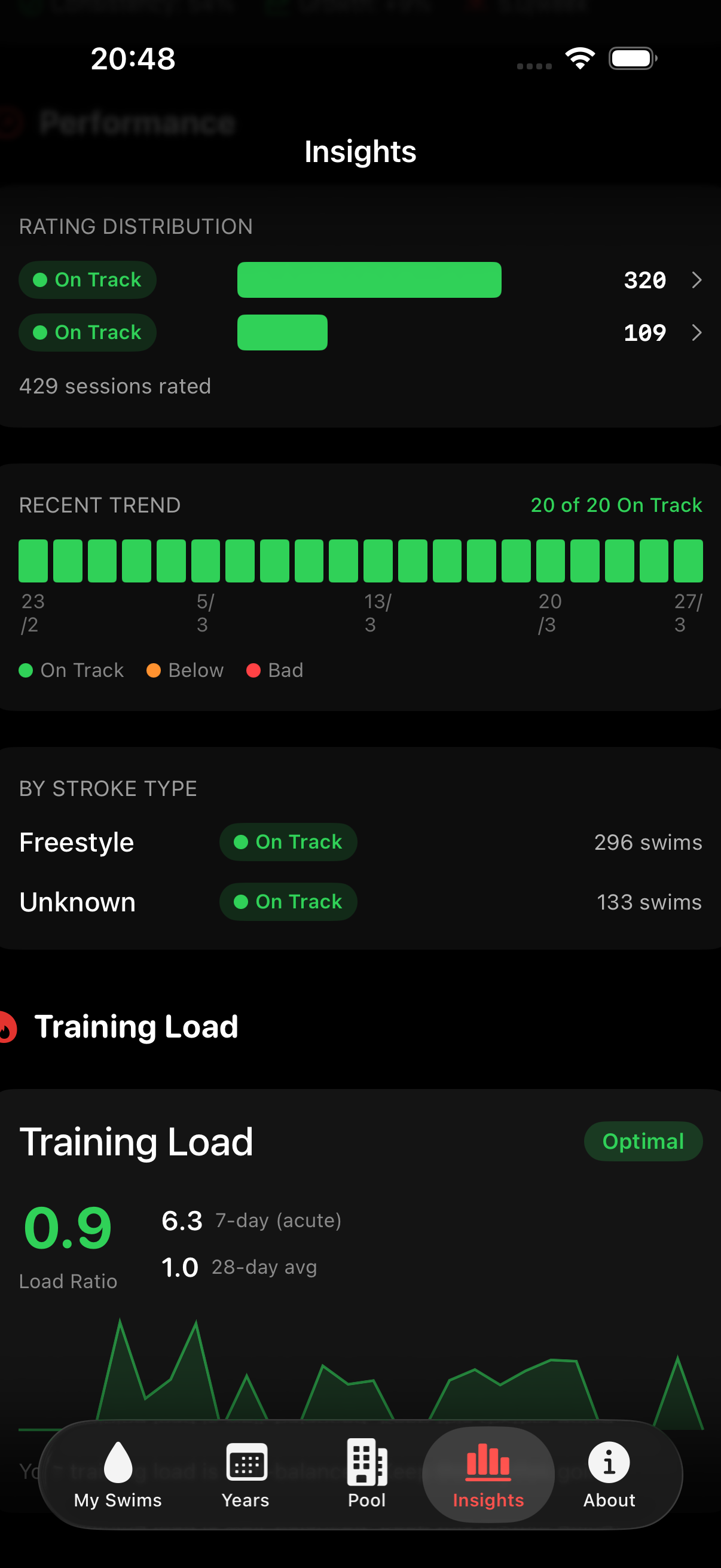
Monitor your 7-day acute load and 28-day chronic load with a traffic-light ACR gauge. Know when you're in the sweet spot, overtraining, or losing fitness.

Apple Fitness: No training load concept.
Training load and performance
AI Coach

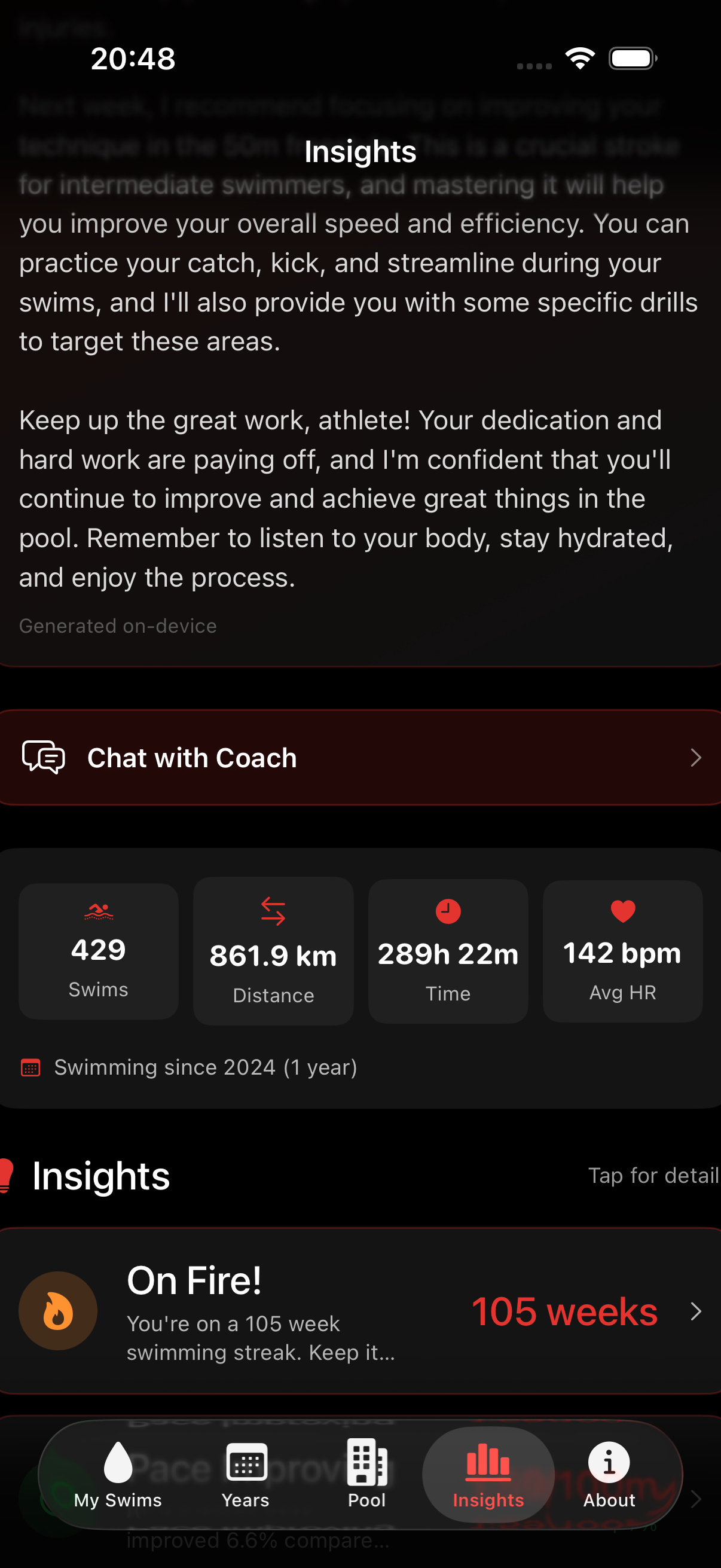
Ask Your Coach Anything

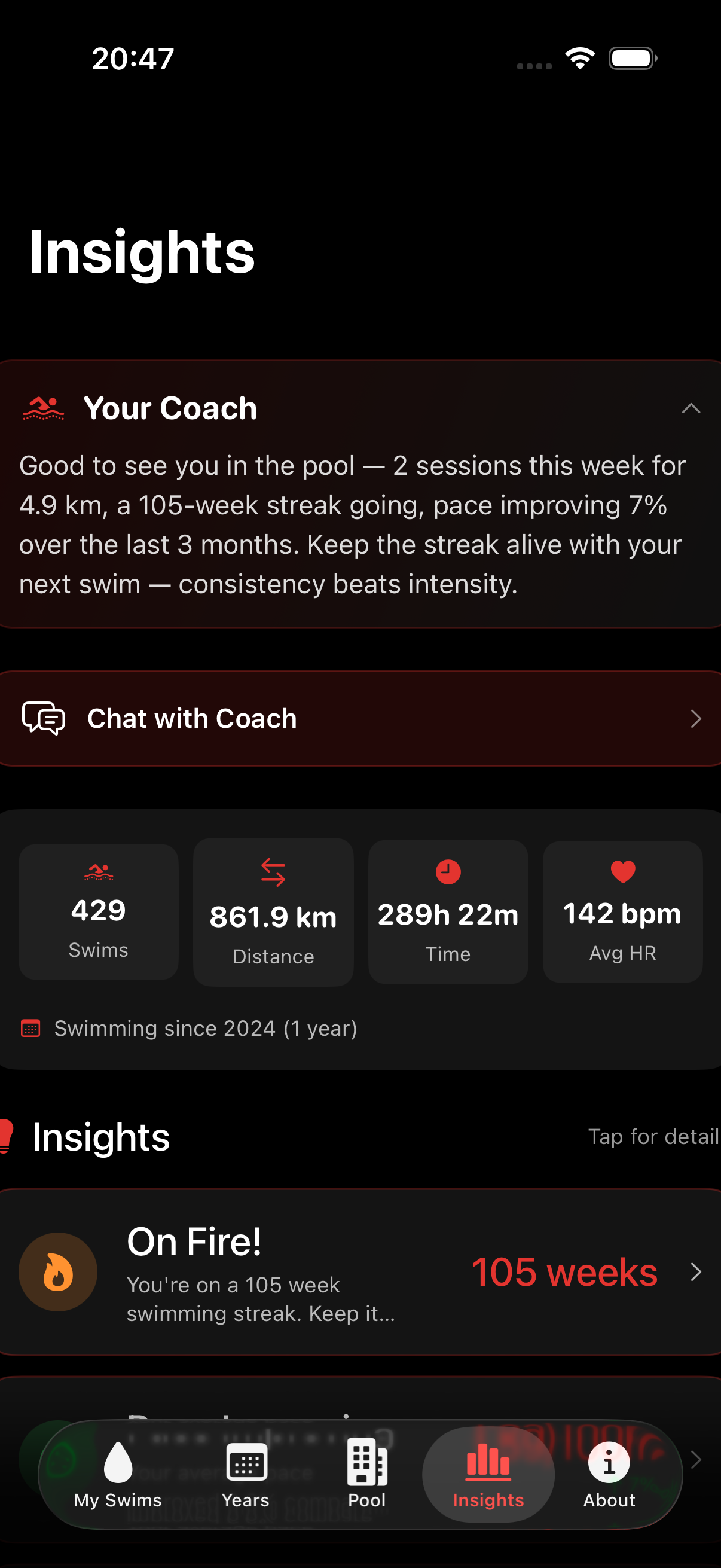
A conversational AI coach that knows your actual data. Ask "Am I getting faster?" and get an answer that references your real pace, heart rate, and consistency numbers.

Apple Fitness: No coaching of any kind.
AI coach summary and chat
Habits

Streaks, Goals & 25 Achievements

Track consecutive weeks of swimming. Set weekly distance and session goals. Earn milestones across distance, sessions, single-swim records, and streak categories.

Apple Fitness: Activity rings only. No swim-specific tracking.
Streaks and achievements

Side by Side.

FeatureSwim DashboardApple Fitness
Lap-by-lap analysisYesNo
Personal bests (5 distances)YesNo
Heart rate zone breakdownYesNo
Training load & fatigueYesNo
AI coaching chatYesNo
Pace zones (5 levels)YesNo
SWOLF trackingYesNo
Weekly streak trackingYesNo
25 swim achievementsYesNo
Year-over-year comparisonYesNo
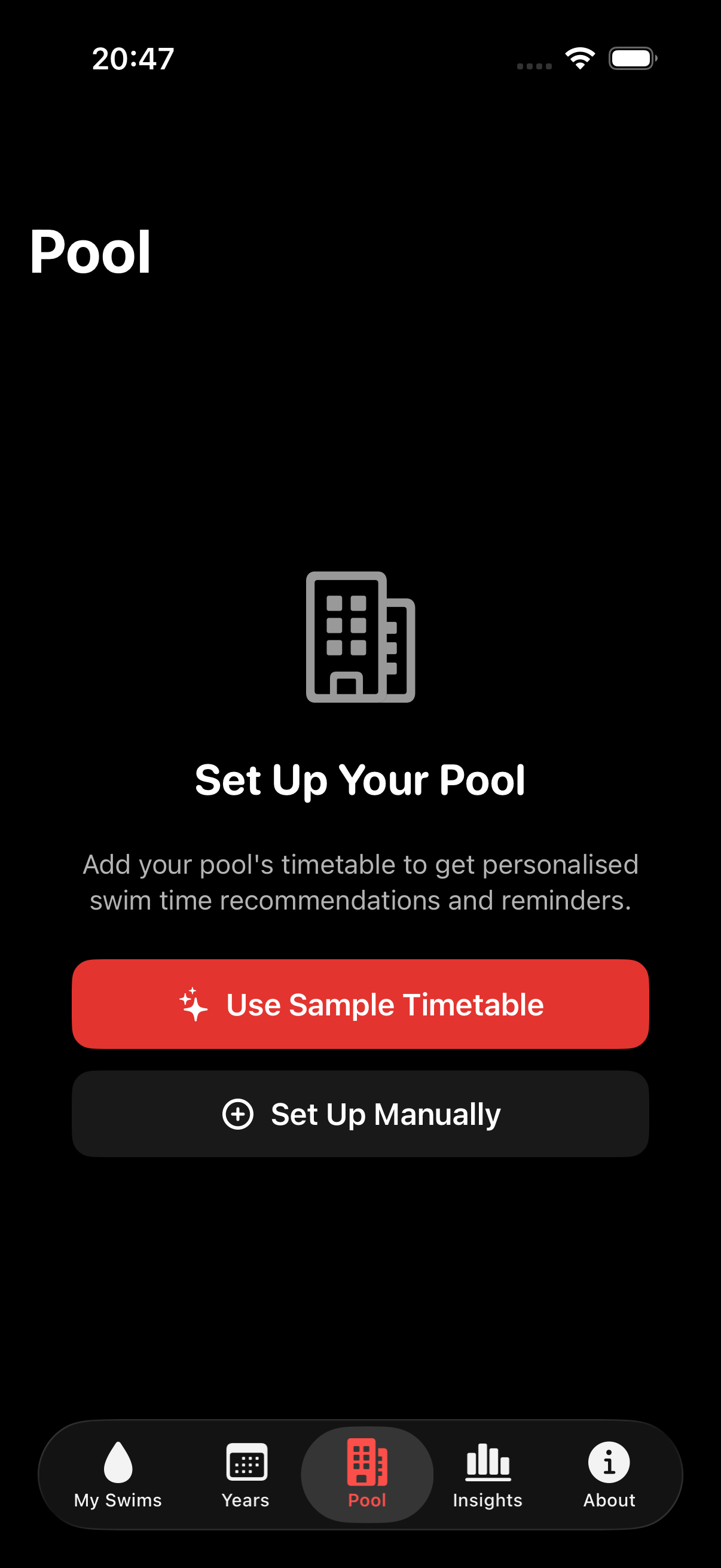
Pool schedule & remindersYesNo
Export (CSV/JSON/PDF)YesLimited
On-device privacyYesiCloud

How It Works.

1

Swim

Start a pool swim on your Apple Watch like you already do.

2

Sync

Open Swim Dashboard. It pulls your data from Apple Health automatically.

3

Analyse

See laps, pace, HR zones, performance ratings, and personal bests.

4

Improve

Track goals, streaks, training load, and ask your AI coach.

See It In Action.

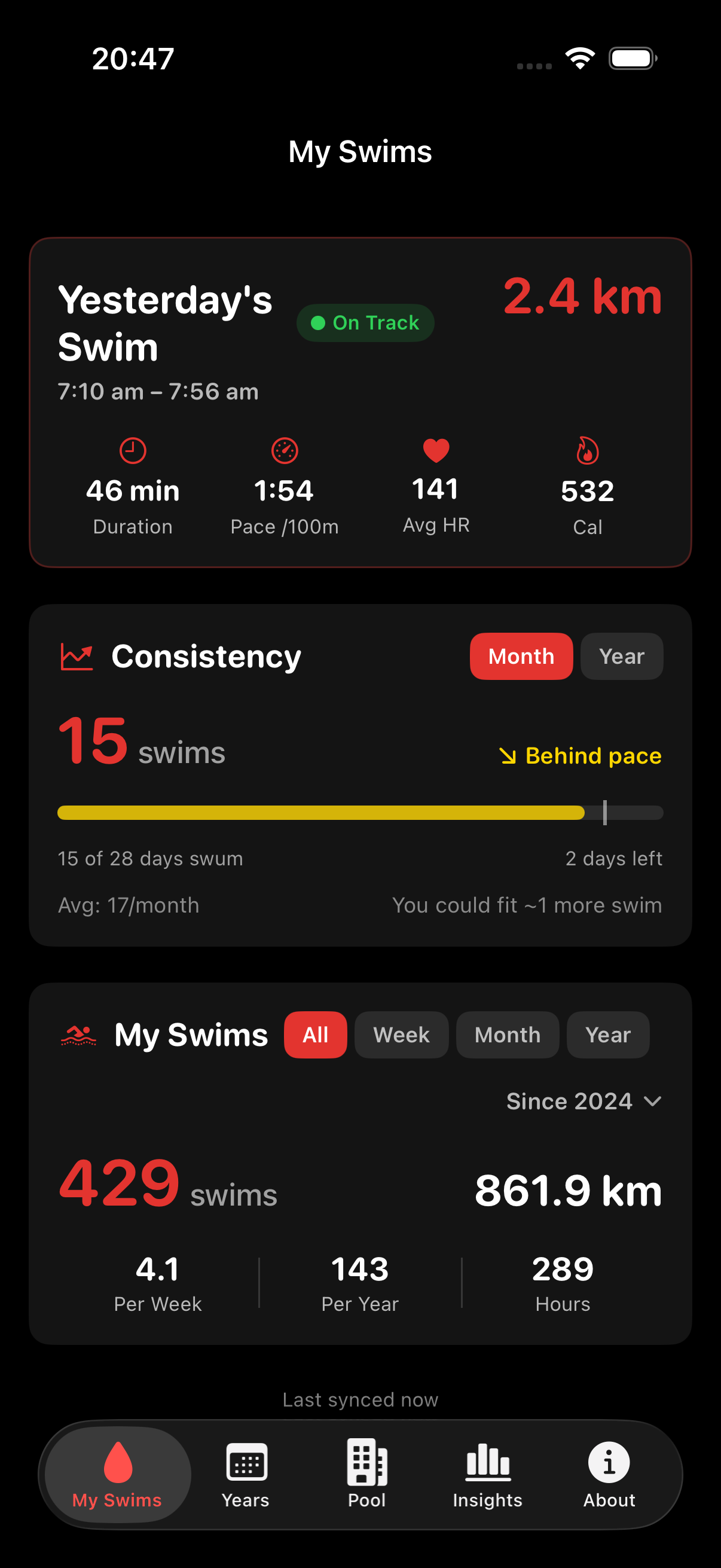
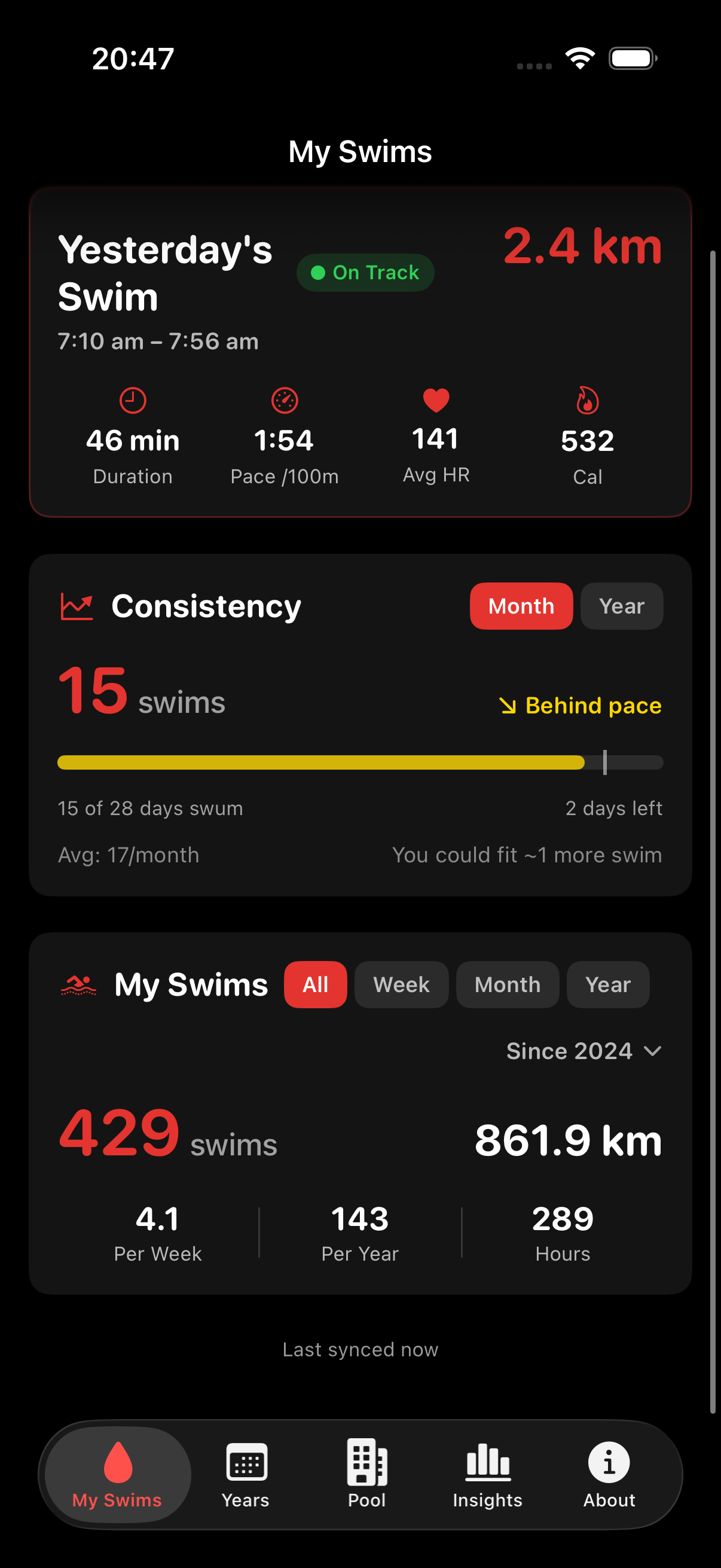
Scroll through the app screens.

My Swims
Goals and consistency
Years drilldown
Coach insights
Performance ratings
Heart rate zones
Training load
HR trends
Pool schedule
Settings

Join the Beta.

Be among the first to try Swim Dashboard. Free during beta. Requires an iPhone and Apple Watch.

We'll only email you about Swim Dashboard. No spam. Unsubscribe anytime.

You're In!

Check your email for confirmation. We'll let you know when the beta is ready.

What You Need.

📱

iPhone

iOS 18 or later

Apple Watch

Any model with swim tracking

🏊

Pool Swimming

Open water support coming later

Android version planned. Sign up to be notified.